
In this article, we’ll cover:
- Why choosing the right event planning software matters more than most teams realize
- The core features every event planning platform needs to have
- How to evaluate event planning tools based on your specific event types
- Red flags to watch for during the buying process
- A practical evaluation checklist you can use right away
Event Planning Software: How to Choose the Right Platform
You’ve got 47 open browser tabs, three vendor demos scheduled this week, and a spreadsheet of “must-have features” that’s growing by the hour. Sound familiar?
Choosing the right event planning software shouldn’t feel like planning an event in itself, but for a lot of teams, that’s exactly what happens. The market is crowded, every platform promises to “simplify everything,” and the feature comparison grids start to blur together after the third demo. The real challenge isn’t finding options. It’s knowing which one actually fits the way your team works.
This guide cuts through the noise. Whether you’re running corporate conferences, managing trade shows, or coordinating fundraising galas, you’ll walk away with a clear framework for evaluating event management software and choosing a platform that earns its subscription fee.
Why Choosing the Right Event Planning Software Matters
Let’s start with a hard truth: the wrong event planning software costs you more than money. It costs you time, team morale, and attendee experience.
When your software for event planners doesn’t match your workflow, everything downstream suffers. Registration pages feel clunky. Data lives in silos. Your team spends hours on manual workarounds instead of focusing on the event itself.
The right event planning platform, on the other hand, acts like an extra team member. It automates the repetitive tasks, centralizes your data, and scales with you as your events grow in complexity. That’s not a nice-to-have. That’s the difference between running events and running events well.
💡 Pro tip: Before you even open a vendor’s website, write down the top three pain points your current process creates. The best platform is the one that eliminates those specific problems, not the one with the longest feature list.
Core Features Every Event Planning Platform Needs
Not every event planning software package is built the same, and not every feature matters equally. But certain capabilities are non-negotiable if you want a platform that actually supports the full lifecycle of an event.
Here’s what to look for:
Registration and ticketing. This is the front door to your event. Your platform should handle multiple ticket types, promo codes, group registrations, and custom registration forms without forcing attendees through a clunky checkout experience. Look for platforms that offer branded registration pages and confirmation emails.
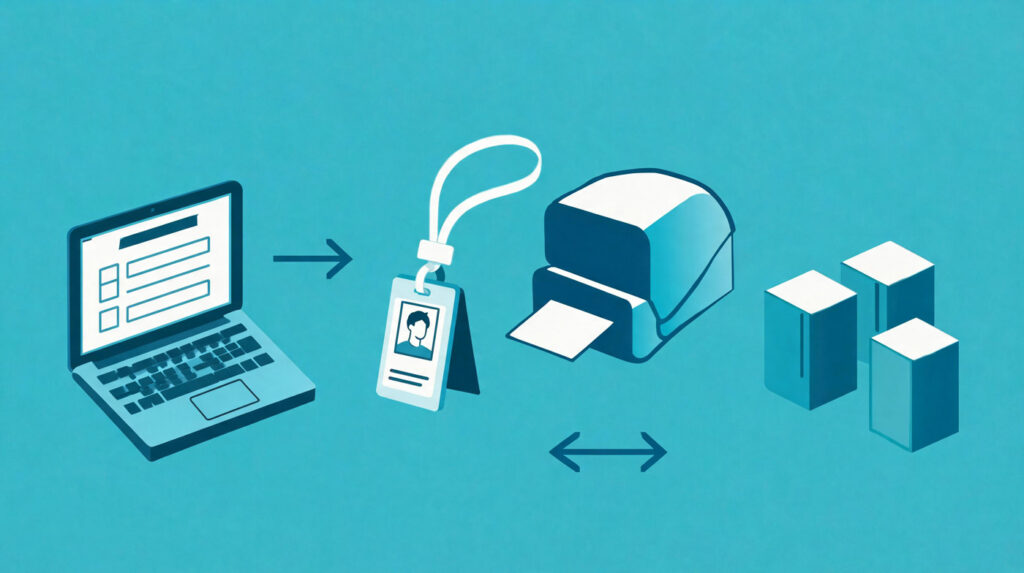
On-site check-in and badge printing. The moment attendees arrive, the experience either reinforces the quality of your event or undermines it. Self-service kiosks, QR code scanning, and on-demand badge printing are baseline expectations now, not luxuries. Top event technology providers, like Expo Pass, connect registration directly to check-in and badge printing so there’s zero data gap between online and on-site.
Attendee communication tools. Email reminders, push notifications, schedule updates: your platform should handle ongoing communication without requiring a separate email marketing tool. Bonus points for SMS capabilities and in-app messaging.
Reporting and analytics. If you can’t measure it, you can’t improve it. Look for real-time dashboards, session-level attendance data, and exportable reports that make post-event debriefs productive instead of guesswork.
Integrations. Your event planning tools need to play nicely with your CRM, email platform, payment processor, and any other systems your team already relies on. API access and native integrations with tools like Salesforce, HubSpot, and Marketo should be on your checklist.
How to Evaluate Event Planning Software for Your Specific Events
Here’s where most buyer’s guides get it wrong: they give you a generic checklist and call it a day. But a platform that’s perfect for a 200-person corporate summit might be completely wrong for a 10,000-attendee trade show.
Your evaluation should start with your event types.
If you run conferences and summits: Prioritize agenda management, speaker portals, session tracking, and attendee networking features. Multi-track scheduling support is critical. You’ll also want a virtual conference option for hybrid flexibility.
If you manage trade shows and exhibitions: Lead retrieval, exhibitor management, and floor plan tools matter more than social networking features. Understanding what is a trade show from a technology perspective helps clarify which features will drive exhibitor ROI. Look for platforms with dedicated exhibitor portals and lead scanning capabilities.
If you coordinate galas, fundraisers, or social events: Donation integration, table assignment tools, and beautiful invitation pages are higher priority. You’ll want a platform that makes the guest experience feel polished and personal.
If you produce recurring or serialized events: Template functionality, cloning capabilities, and cumulative reporting across events should be high on your list. You shouldn’t have to rebuild your event from scratch every single time.
✨ Expert Advice: Ask each vendor for a case study from a client whose event profile matches yours. A platform that performs well for a niche it wasn’t designed for is rare. The best event planner software is the one with a track record in your specific category.
The Evaluation Checklist: 7 Questions to Ask Every Vendor
Once you’ve narrowed the field, use these questions to separate the contenders from the pretenders.
1. Can I see a live demo with my actual event scenario? Canned demos are designed to impress. You need to see the platform handle your complexity, not a pre-built sample event.
2. What does onboarding look like? Ask about timelines, dedicated support contacts, data migration, and training resources. A platform that takes 8 weeks to get running might not work if your event is 10 weeks away.
3. What’s included in my pricing tier vs. what costs extra? Badge printing hardware, API access, premium support, additional admin seats: these are common upsell areas. Get clarity upfront.
4. How does your platform handle on-site connectivity issues? Events don’t always have perfect WiFi. Ask about offline mode, local caching, and contingency features for spotty internet.
5. What’s the contract structure? Annual contracts, per-event pricing, and per-attendee models all change the economics significantly. Make sure you model the costs against your actual event calendar.
6. Can I export my data at any time? Data portability is a deal-breaker. If you can’t export attendee lists, registration data, and analytics on demand, you’re locked in.
7. What’s on the product roadmap? A stagnant platform is a risky investment. Look for vendors that share their roadmap and have a track record of shipping meaningful updates.
Compare your notes across vendors side by side. If you want a broader view of the landscape, check out our breakdown of the top event management tools to see how the major platforms stack up.
Red Flags to Watch for When Choosing Event Planning Software
Not every platform that looks good on a features page delivers in practice. Here are warning signs to watch for during your evaluation:
- No free trial or sandbox environment. If a vendor won’t let you test the product before signing a contract, ask yourself why.
- Pricing that requires a sales call to see. Transparency matters. Hidden pricing often means hidden surprises.
- Glowing reviews with zero specifics. Look for detailed reviews from verified users, not generic testimonials on the vendor’s homepage.
- Limited or no API access. If you can’t connect the platform to your other systems, you’re signing up for manual data entry.
- Slow or unresponsive support during the sales process. If they’re slow to help you when they’re trying to win your business, imagine what post-sale support looks like.
⚡ Practical Advice: Run a “stress test” during your trial period. Upload your largest attendee list, build out your most complex event, and see how the platform handles it. The demo environment should reflect real-world performance, not a lightweight simulation.
Building Your Event Planning Software Shortlist
After running through the evaluation checklist and watching for red flags, you should be able to narrow your list to two or three finalists. Here’s how to make the final call:
Involve your team. The event planner software you choose will affect everyone who touches event operations, from coordinators building registration pages to marketing teams pulling reports. Get their input before signing.
Weight your criteria. Not every feature matters equally. If on-site check-in is your biggest pain point, a platform that excels there should rank higher than one with a better mobile event app but clunky badge printing.
Think beyond this year. Your event planning platform should support your growth. If you’re running three events this year but planning for ten next year, choose a platform that scales without a dramatic price jump.
Expo Pass is built for exactly this kind of growth, giving teams a connected platform that handles registration, check-in, badge printing, lead retrieval, and analytics under one roof. Find out more »
Final Takeaway
Choosing event planning software isn’t about finding the platform with the most features. It’s about finding the one that fits your events, your team, and your workflow. Start with your pain points, evaluate based on your actual event types, ask hard questions during the demo process, and involve the people who’ll use the platform every day. The right event planning platform won’t just make your next event easier. It’ll make every event after that one better, too.
Frequently Asked Questions
What is event planning software and who needs it?
Event planning software is a digital platform that helps teams manage the full lifecycle of an event, from registration and promotion through on-site check-in, attendee engagement, and post-event reporting. Any organization that runs recurring events, conferences, trade shows, or large meetings benefits from having a dedicated event planning platform rather than stitching together spreadsheets and disconnected tools.
How much does event planning software typically cost?
Pricing varies widely depending on the platform and your event volume. Some event planning tools charge per event, others charge per attendee, and many use annual subscription models with tiered feature sets. Expect to see entry-level plans starting around $500 per event and enterprise-level platforms running into the tens of thousands annually. Always model the total cost against your full event calendar, not just one event.
What’s the difference between event planning software and event management software?
The terms overlap significantly, but event planning software tends to focus on the pre-event logistics (timelines, budgets, vendor coordination, task management) while event management software covers a broader scope that includes on-site execution, attendee engagement, and post-event analytics. Many modern platforms, including Expo Pass, combine both into a single solution.
Can event planning software handle virtual and hybrid events?
Yes, most modern event planning platforms include virtual and hybrid event features or integrate with dedicated virtual event tools. If hybrid flexibility is important to your program, make sure the platform you choose supports live streaming, virtual networking, and unified analytics across in-person and online audiences.
How long does it take to implement a new event planning platform?
Implementation timelines range from a few days for simpler platforms to several weeks for enterprise solutions with complex integrations. Ask about onboarding support, data migration assistance, and whether you’ll have a dedicated account manager. If your first event is coming up quickly, prioritize platforms with fast setup and responsive support teams.